














OldSchoolArtist63

FractalRock

leguen
math313

charcoaledsoul
muzucya
el-Uman
irishconnection

Arteguille1

tonycade

Merjub

klaireyfairy

Aexion

Flatau
djeaton3162

jerishoots

Blood--Stock
wookiestock

0-STOCK

childrens-stock
Future-Art-Magazine
Wick5ter

NatalieKelsey

MichaelFaber
tatotat

o-LJ-o

defabe-stock
Collection
Favourites





Deviation Spotlight

Artist
- Mar 1, 1969
- Netherlands
- Deviant for 19 years
- toxicgirlfriend.deviantart.com/
- She / Her
Badges
My Bio
Current Residence: Groningen
The secret is out!!!
0 min read
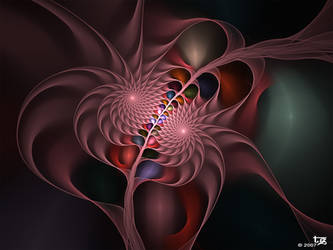
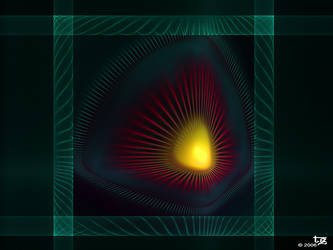
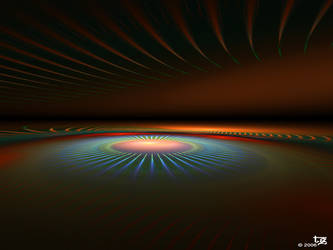
A lot of people have asked me how I create fractals like these in Apophysis:
link
link
link
link
It's very easy to be honest.
Just start with a new blank fractal by clicking the button in the left corner of the editor window. Now you'll have two triangles. Leave the firts triangle just as it is. I don't make any adjustments to that one. I'm only using the second triangle here.
Select the second triangle and flip it horizontal. Then go to the variations tab. Set linear to 0 and disc to 1. After that you'll have to move this triangle just a little out of the centre. Up, down, left, right, it doesn't matter. It has to be near the center s
Join the community to add your comment. Already a deviant? Log In
I got distracted
0 min read
Lately I've been a little distracted by a new program I have gotten myself a few weeks ago. It's a 3D figure design program called Poser and I love to play with it.
But eventhough it's very much fun to play with, I can't stay away from Apophysis for more then 5 days. Every now and then I have to create some flames. As if it's relaxing or something like that.
So now you know why I haven't been around here much lately and haven't given much replies to the comments I've got. I promise to better myself.
OK enough said. If someone is looking for me, I'll probably be in the gallery of one of my friends, snooping around to see what the latest tre
Join the community to add your comment. Already a deviant? Log In
I wrote some pattern scripts!
0 min read
Zueuk was one of the first people here that created beautiful patterns in Apophysis. I tried and I tried and succeeded to create patterns. While trying I found that if I added transforms in a certain way it created a pattern. This could be done by a script, I thought.
While I was teaching myself how to write a script, Carl came with a script. A script that gave very nice results but the way transforms were added was completely different from the way I was making my patterns. So I went on.
And now, weeks later (meanwhile I've learned a lot about scripting), I've finished three scripts. Still don't know wich one I like best so I've put all th
Join the community to add your comment. Already a deviant? Log In
Profile Comments 65
Join the community to add your comment. Already a deviant? Log In

I love your style. Great work!
Wow ur pics r amazing

excellent gallery
I was sent this way by Liz's script for the disc shapes. Thank you so much for sharing this tutorial. The script might give me raw results, but your tut allows me to fiddle with that and make my own results.
Big hugs,
Anj
Big hugs,
Anj

DragonWinter sent me your way. Very glad she did. Great gallery! Thanks very much for sharing your secret!

Found you thru Elizabeth Tomchek's scripts- Thank you- Love your work.
Joe G
Joe G
Very helpful information on creating a fractal! And thank you for adding my poem 'tell me' to your favorites! 